Me and You Official & Wiki Links
Steam, socials, and the best internal hub pages in one list.
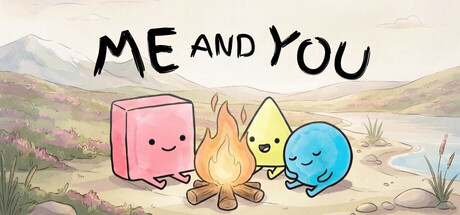
Use this page as the single outbound and inbound link board for Me and You. Official destinations come first so you can wishlist, download the demo, or join developer chat without digging through guides. Internal wiki hubs follow so you can jump back into tutorials, tools, difficulty tiers, and release notes. All external URLs are written as plain text or labeled markdown links—no hotlinked images.
Official Steam pages
- Full game store (app 4933500): Me and You on Steam — wishlist for the November 25, 2026 launch on Windows and macOS.
- Free demo (app 5150970): open the same store page and use the demo download module, or search “Me and You Demo” inside Steam. Practice chapters before launch night.
Verify you and your partner launch the same app before inviting. Mixed demo/full clients will not form a valid session—see Co-op Setup.
Official community & socials
- Discord: https://discord.gg/S7xhSADHWV — playtest calls, feedback threads, and partner-finding.
- Bluesky: https://bsky.app/profile/pmftopjoygames.bsky.social — studio posts from PMF Top Joy Games.
- X (Twitter): https://x.com/TopJoyGames — short updates from @TopJoyGames.
Prefer Discord when you need threaded help; prefer Bluesky/X for quick launch reminders. This fan wiki is independent—official answers always win if something conflicts.
Studio credit
Me and You is developed and published by PMF Top Joy Games. When you share clips or guides, credit the studio and link the Steam store so wishlist conversions stay honest.
Internal wiki hubs
Orientation
- Wiki Overview — design pillars, trailer, and starter map
- Guides Hub — tutorials and walkthrough index
- Updates Hub — calendar and demo/release briefing
Play & setup
- Getting Started
- How to Play
- Controls
- Rules and Word Blocks
- Demo Walkthrough
- Co-op Tips
- Tools Hub
- System Requirements
- Co-op Setup
Planning
- Difficulty Hub — demo room tiers
- Release Info — launch date and feature list
- Demo Overview — chapter list and review context
How to share this wiki cleanly
When you post in Discord or Steam discussions:
- Link the specific hub that answers the question (co-op setup vs walkthrough).
- Mention the upcoming November 25, 2026 date only with a Steam wishlist link attached.
- Do not paste unmarked spoilers from late Chapter 2 in public channels without tags.
- Never hotlink random off-site screenshots as if they were wiki assets—use local
/images/paths inside this site only.
Safety notes
- This site does not sell keys; only use the official Steam store.
- Ignore third-party “free full game” mirrors—the legitimate free content is the Steam demo.
- Script or cheat sites are irrelevant here; Me and You is a fair co-op puzzle, not a progression MMO.
Quick launch-week pack
- Wishlist https://store.steampowered.com/app/4933500/Me_and_You/
- Keep the demo installed for warm-up
- Join https://discord.gg/S7xhSADHWV
- Open Co-op Setup thirty minutes before your partner arrives
- Keep Wiki Overview pinned for newcomers you invite mid-session
Bookmark this Official Links page. When URLs change, we update them here first so every guide can point inward instead of scattering stale outbound paths.
Frequently Asked Questions
Quick answers to the most common questions.
Where is the official Me and You Steam page?
https://store.steampowered.com/app/4933500/Me_and_You/ — wishlist there for the November 25, 2026 launch.
How do I join the developer Discord?
Use the invite https://discord.gg/S7xhSADHWV from an official post or this page. Beware of look-alike invites elsewhere.
What are the studio social accounts?
Bluesky pmftopjoygames.bsky.social and X @TopJoyGames. Links are listed in the socials section above.
Is this wiki official?
No. It is a fan-made guide site. For authoritative patch or store info, trust Steam and PMF Top Joy Games channels first.
Which internal page should I send a new partner?
Send Wiki Overview plus Co-op Setup. Add Getting Started if they have never touched word-rule puzzles.